 Orca Systems
Your day in the system. Pick your job.
Five jobs, five tabs. Each one shows what that job does with the system, and what it does not do. Every screen is a real capture with invented demo data.
Front desk: scan the passport, and the booking fills itself in.
Speed at the desk, and fewer typing mistakes in an official record.
What it does
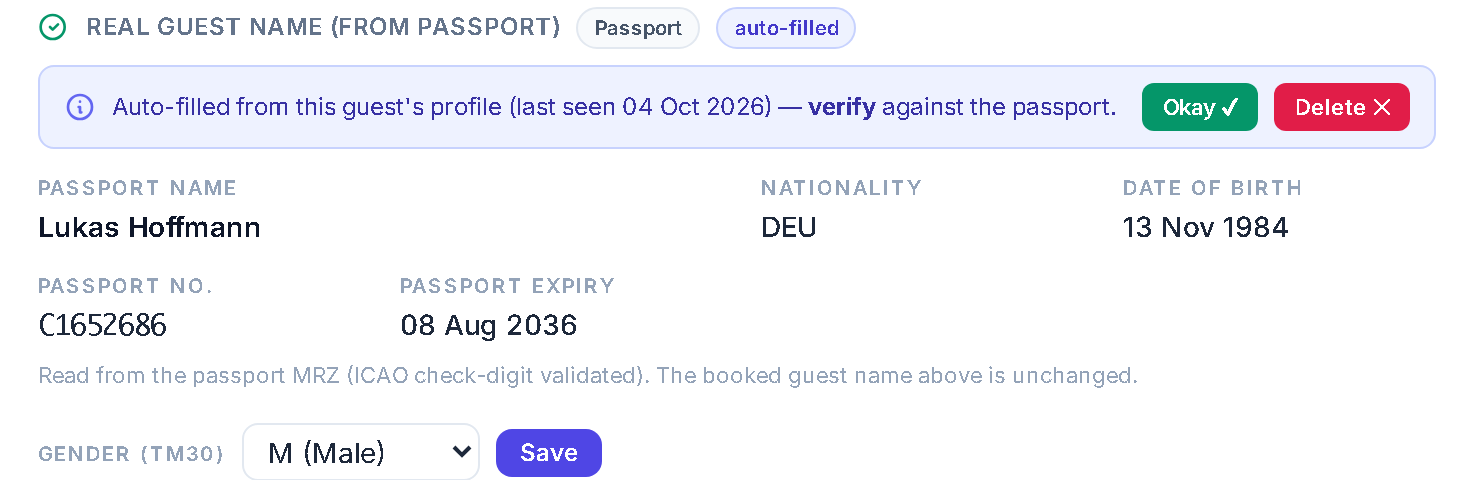
- Scan a passport on the desk scanner. The name, nationality, birth date and passport number land on the booking.
- The next time the same guest books, the passport fills in again. A banner says auto-filled from profile, please verify. Staff press Okay or Delete.
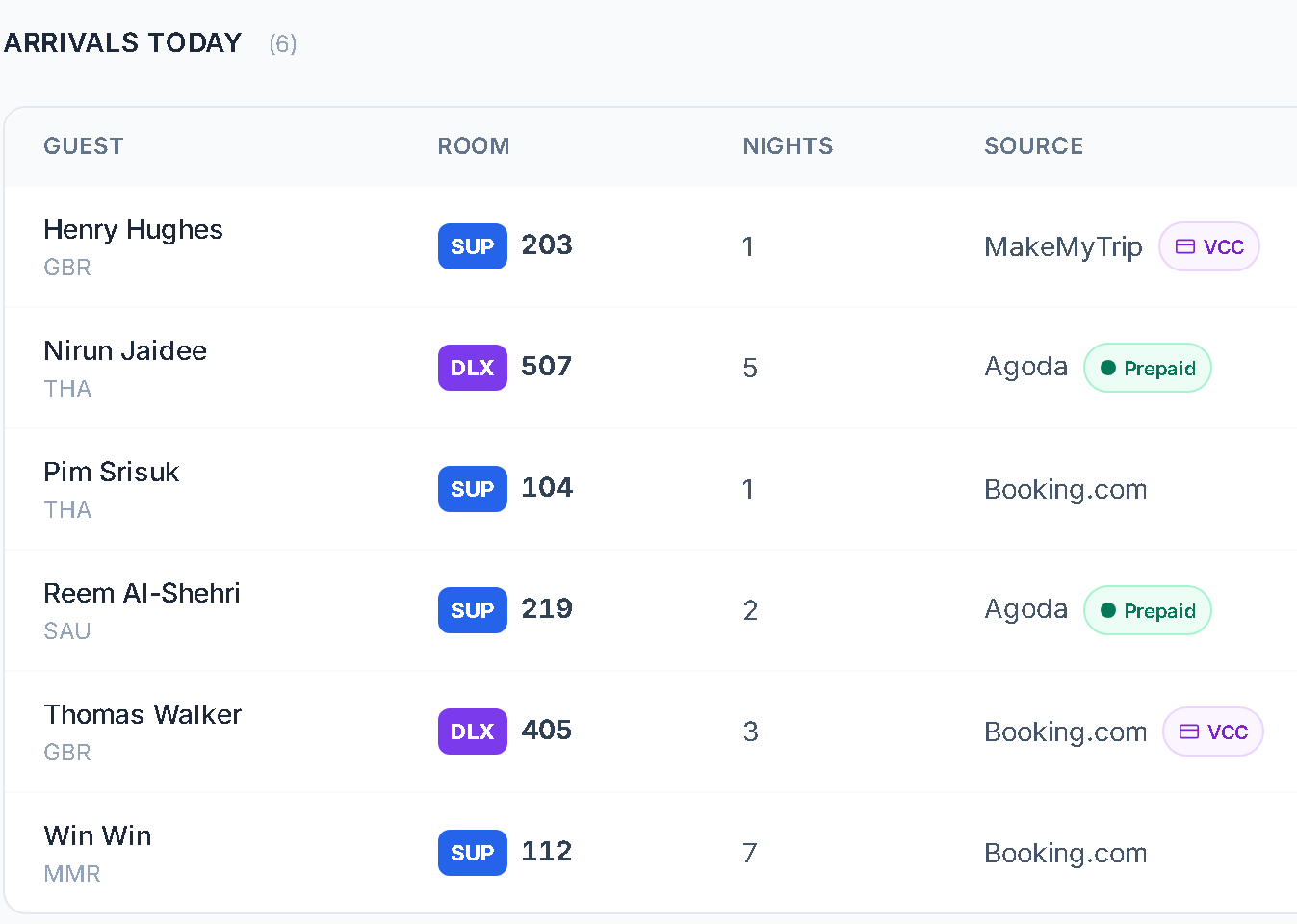
- Today's arrivals show the booking source, a Prepaid or VCC tag where there is one, and repeat or VIP tags that come from the guest's stay count.
- The TM30 list is built from the real check-ins, as an export your staff file with the immigration office.
What it does not do
- It is not AI. A fixed reader checks the passport's check digits and writes nothing if they fail. Then staff scan again or type it in.
- It needs a document scanner that saves pictures to a folder. We set that up with you.
- It finds a returning guest by name, so a different spelling is a different guest.
- It exports the TM30 list. It does not file it, and it is for Thailand only.
- Reception does not see the commission or revenue reports.
Reservations: control without retyping.
Every booking knows where it came from and how it pays, and the price is where you can see it.
What it does
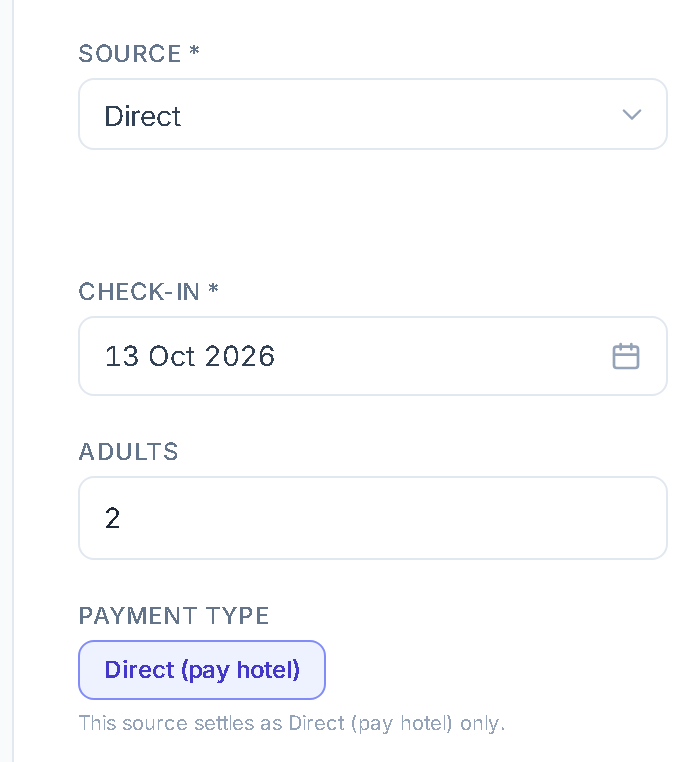
- The booking form records the source and how it will be paid, and offers only the payment types that source allows.
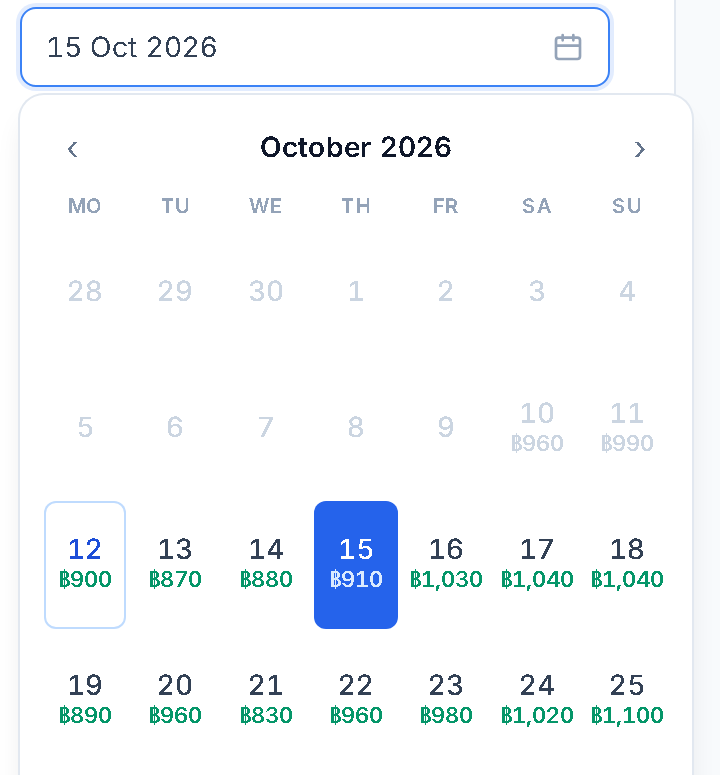
- The date picker prints the price of each night under the date, like a flight search.
- A guest who extends is one stay, not five bookings. Clear cases link themselves by a fixed rule (same guest, dates that touch). Staff link the rest by hand.
- Each travel agent gets a booking page at their own rates. They ask, and your team confirms in one click.
- At our own 91-room hotel, booking emails from the booking sites are read and the reservations create themselves: about 870 a month.
What it does not do
- A booked price does not change when the calendar price changes later.
- Prices set in the system reach the booking sites only through a channel manager you connect through our API. There is no ready-made connector.
- Agents see quotes from your rates. They do not see live availability on every channel.
- Linking matches the guest name and touching dates. Two different guests with the same name could be joined by mistake, and staff can unlink them.
Cashier: money that stays put.
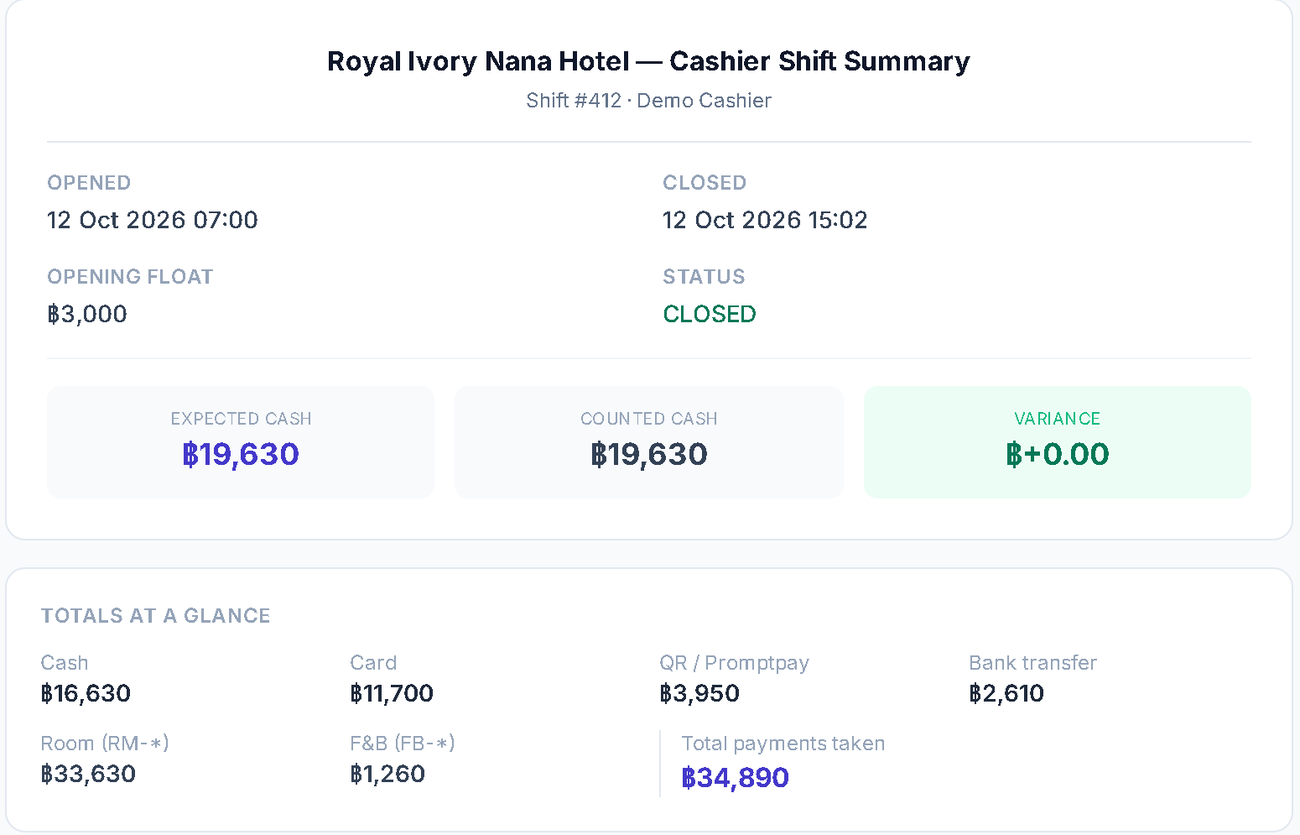
A shift opens with a float and closes with a count.
What it does
- Each cashier opens a shift and states the float. The system tracks cash in and out and stores the drawer variance at the close.
- Cash handed back to a guest is recorded as a payout and lowers the drawer total.
- After a shift is closed, a payment from it can be changed only by an administrator. The correction is posted to today. The closed day itself does not change.
- The manager or the accountant ticks each leaving guest against the paper receipts on the departure sheet.
What it does not do
- It does not match the receipts for you. It shows the system's numbers so a person can compare them with paper.
- Closed does not mean nothing can ever change. An administrator can post a correction to today.
- The departure sheet is for the manager and the accountant. Reception sees the list and one shared box, not the money.
Night audit: calm at the end of the day.
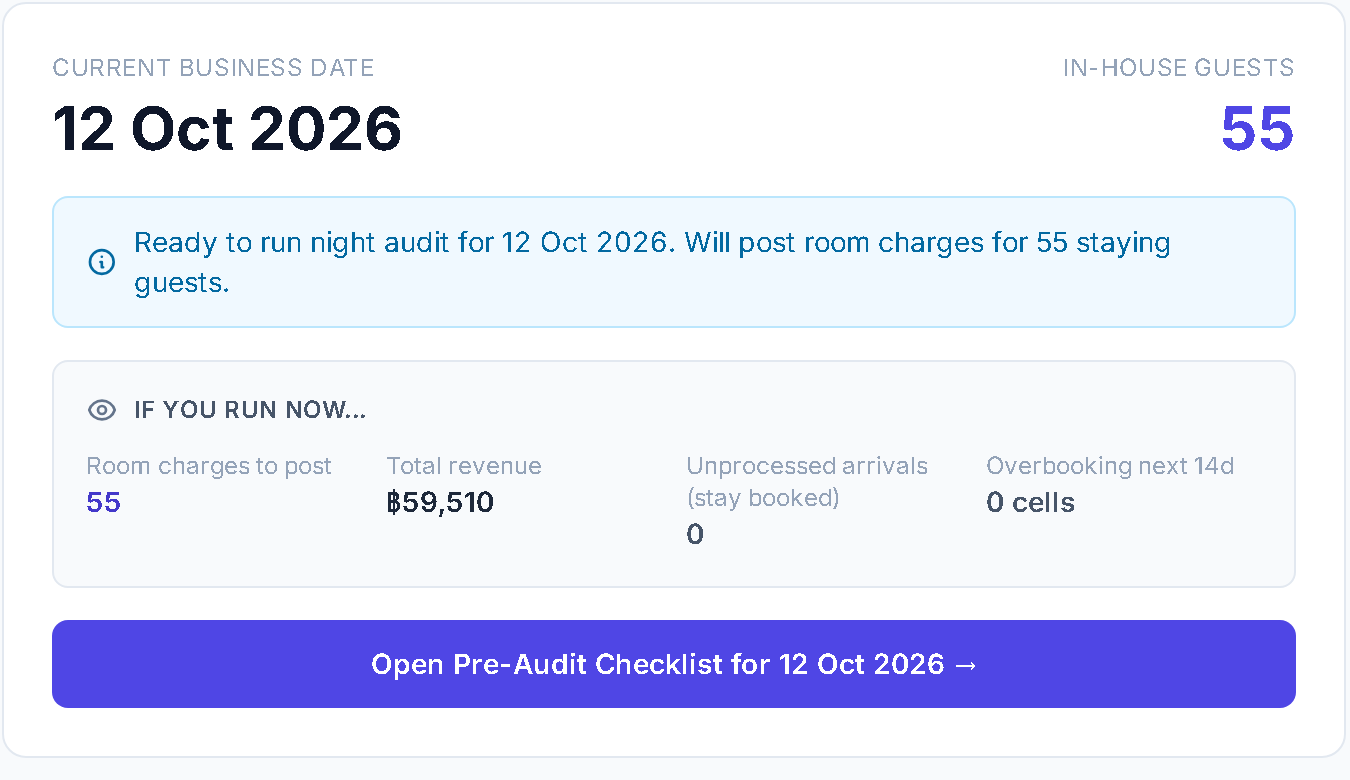
See what the night audit will post before it posts.
What it does
- The preview says what it will post: room charges for the staying guests, the overbooking look-ahead, and a check that stops a double run.
- A guest who already has a room-charge line for that night is not charged again by the audit.
- The TM30 download sits on the same page, built from the real check-ins.
- Deposit debits for travel agents who book against a prepaid deposit post here.
What it does not do
- There is a short pause by design. While it runs, other people see a maintenance screen that refreshes itself.
- It does not promise that it never fails. If something fails, the pause lifts by itself.
- The preview is not open to reception.
Owner: see your price, ask your hotel, build the report.
Change a price, a report or a permission yourself.
What it does
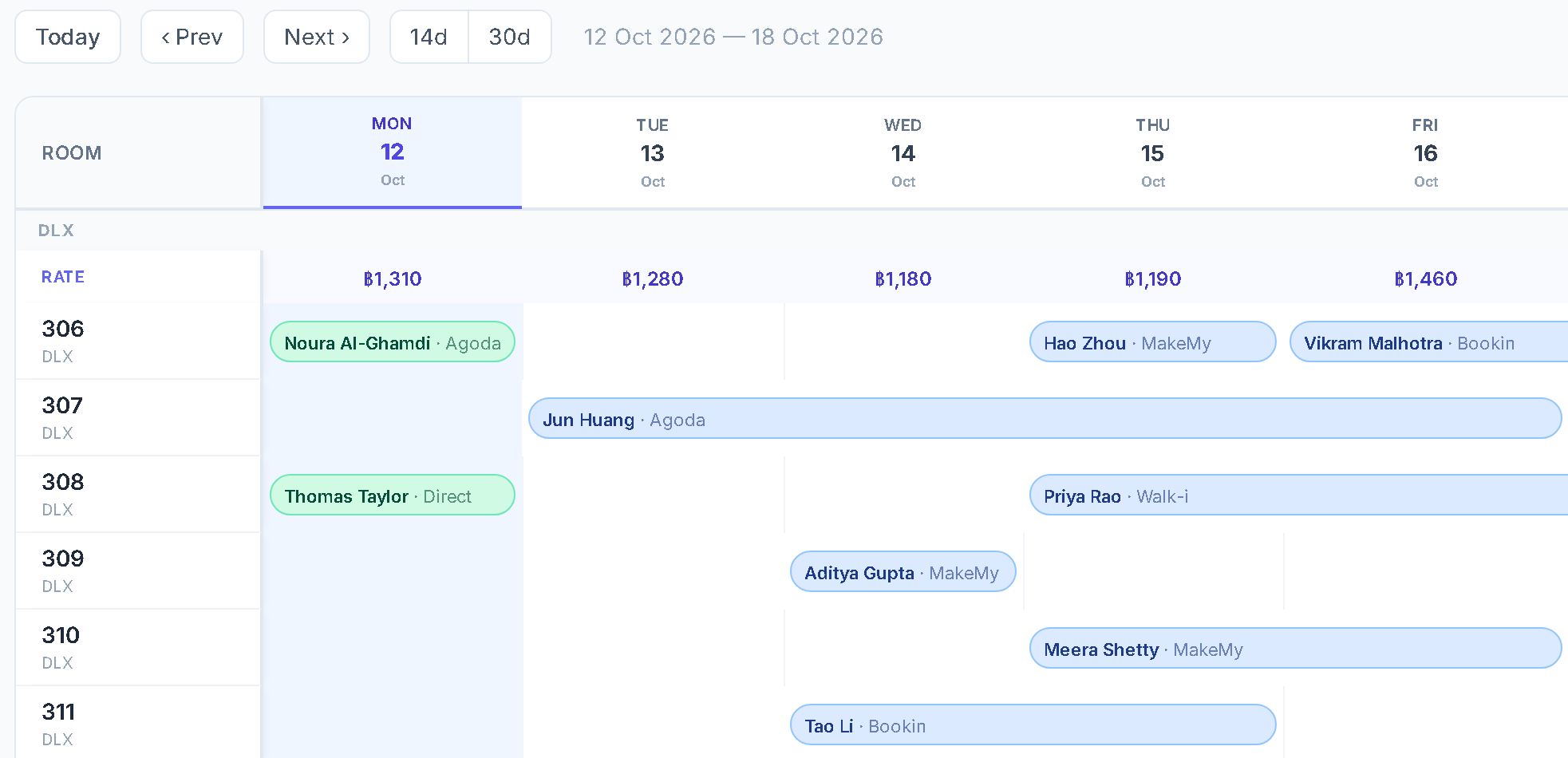
- The price calendar: click a night's price, type a new number, save. New quotes use it at once.
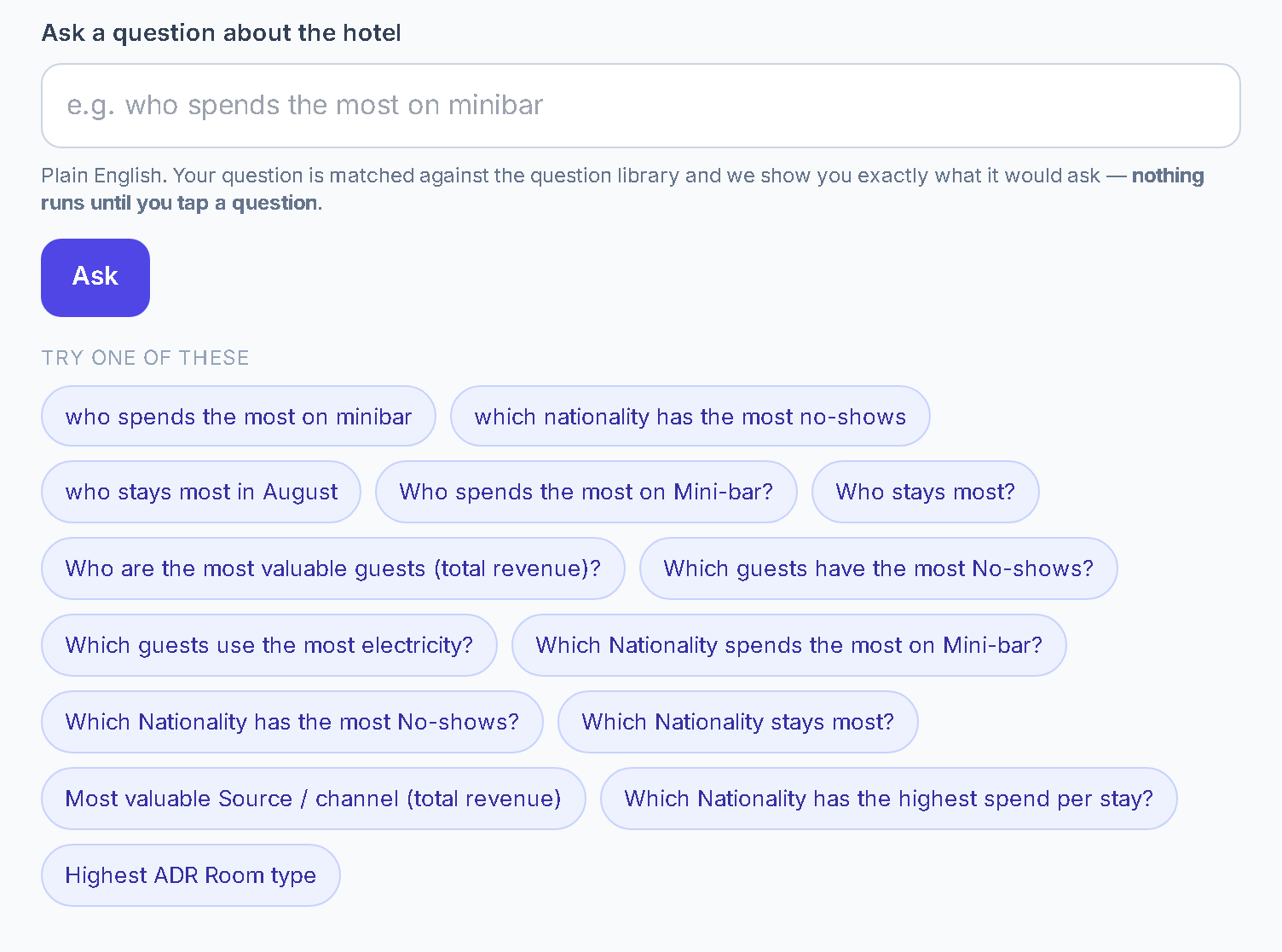
- Ask: type a question such as which nationality has the most no-shows. The screen shows what it will ask before anything runs. Save the answer, export it to CSV, or open it in the report builder.
- The report builder: an administrator or a manager picks the fields, names the report, chooses who sees it and exports it.
- Owner Insights: one page of key figures, each with a year-on-year pill.
- The departure sheet exports to CSV and prints landscape.
What it does not do
- Calendar prices do not reach the booking sites by themselves. That needs a channel manager you connect through our API.
- Ask answers the question types in its built-in library. It is not a chat, it does not use AI, and it runs only when you tap.
- The owner and the accountants can ask and read saved reports. Building a report is for administrators and managers.
- Nothing prices itself. There is no automatic pricing.
Bring three changes. We make them live while you watch.
A rate, a report, a new member of staff: three things you would normally have to ask someone for. We make them on a demonstration copy with your room types. If a change needs new code, we tell you at once.
Start with a practice copy
One month free. No fees. No card.
- Free move-in and free video training.
- A person with your front desk on switch morning.
- A practice copy runs beside your current system. The free months start when it first runs.
- Month to month. Cancel any month.
- If you leave, we help you take everything out. Your data is stored locally on your own computer.
- The free months are for a new hotel business, once.
- Then $100 a month for up to 200 rooms (+$0.50 a room from 201 to 300, +$0.30 a room above 300).
What we will not tell you
- One hotel runs this today: ours. Royal Ivory Nana Hotel, Bangkok, 91 rooms, every day since 23 July 2026, which is 0 days.
- These screens use invented demo data. The guests on them are not real.
- Electricity monitoring and a guest web app are installed at our own hotel and are being prepared for other hotels, and staff location is in development. They are not part of this tour.