Scan a passport. The booking fills itself in.
Scan it once. The name, nationality, birth date and passport number land on the booking.
For example
It is ten past two and a coach of six guests arrives together.
One receptionist, six passports and a queue that grows while she types. Here she scans six pages and checks that each read looks right.
A month later one of the six books again, and the passport is already on the booking before they reach the desk.
Scan once. Check once.
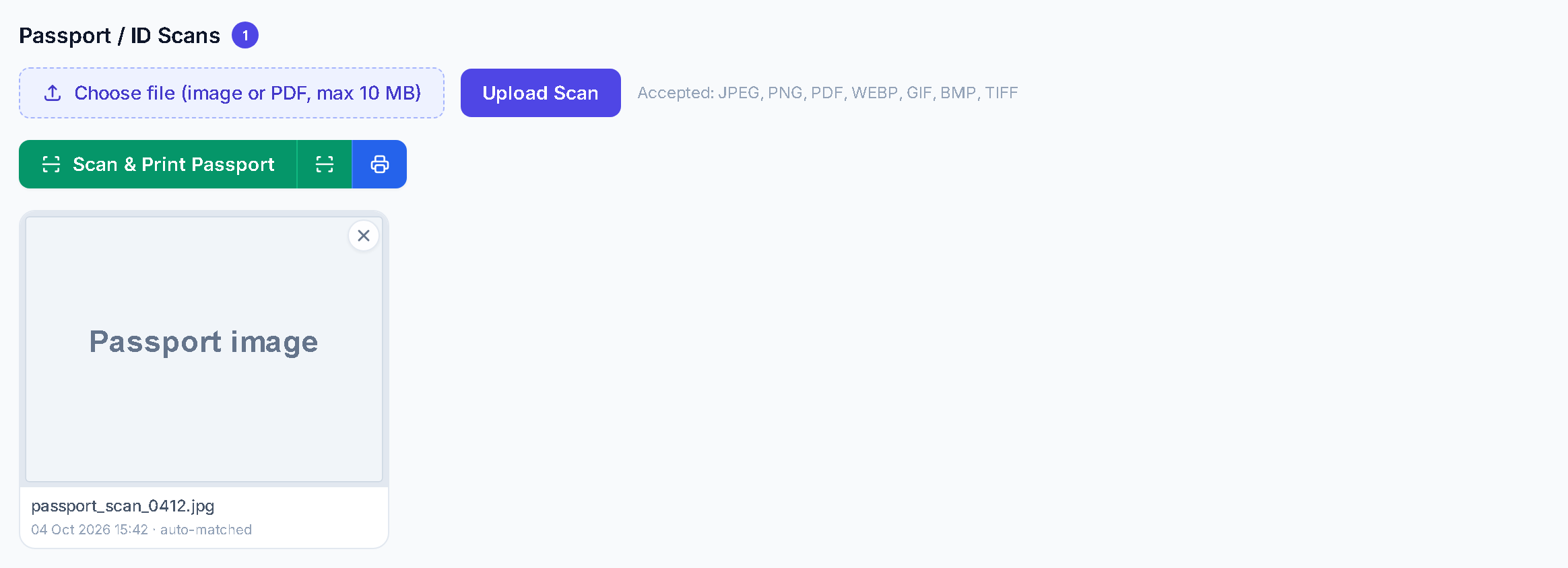
The scan buttons and the saved picture. Demo data. Scan it at the desk.
Reception presses Scan on the desk scanner, or uploads a file. The picture lands on the stay, marked auto-matched.
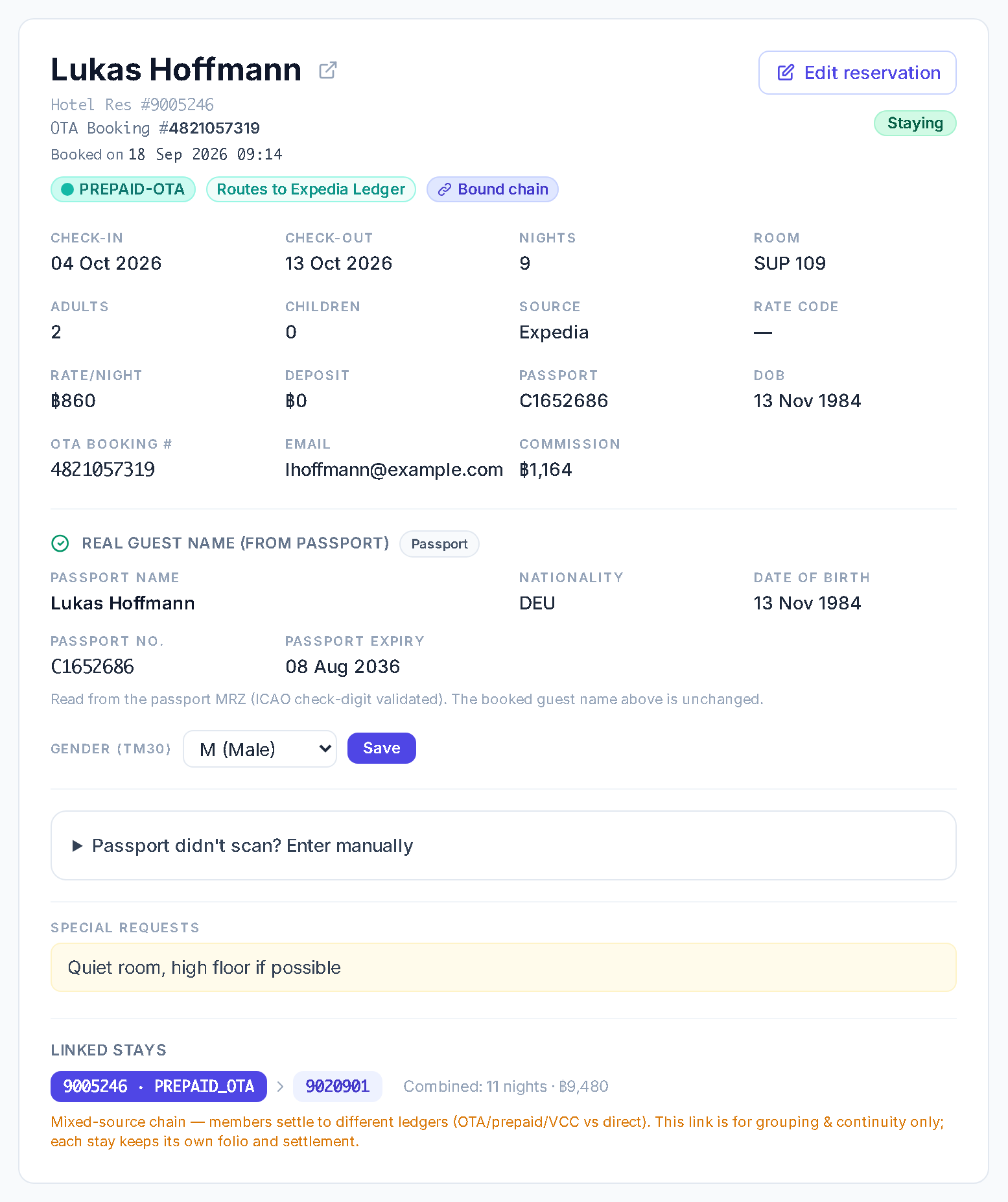
Passport name, number and expiry on the booking. Demo data. It reads the passport and fills the booking.
The system reads the two machine lines at the bottom of the page and tests the check digits. The name, nationality, birth date, passport number and expiry go onto the stay, and a passport record onto the guest's profile. The name you booked is never overwritten. A fixed reader, not a guess.
The manual entry option. Demo data. If it cannot read it, you type it.
A failed read writes nothing. The screen says so and offers scan again, or your staff type it in. Gender, for the TM30 list, comes from the passport lines or is typed here.
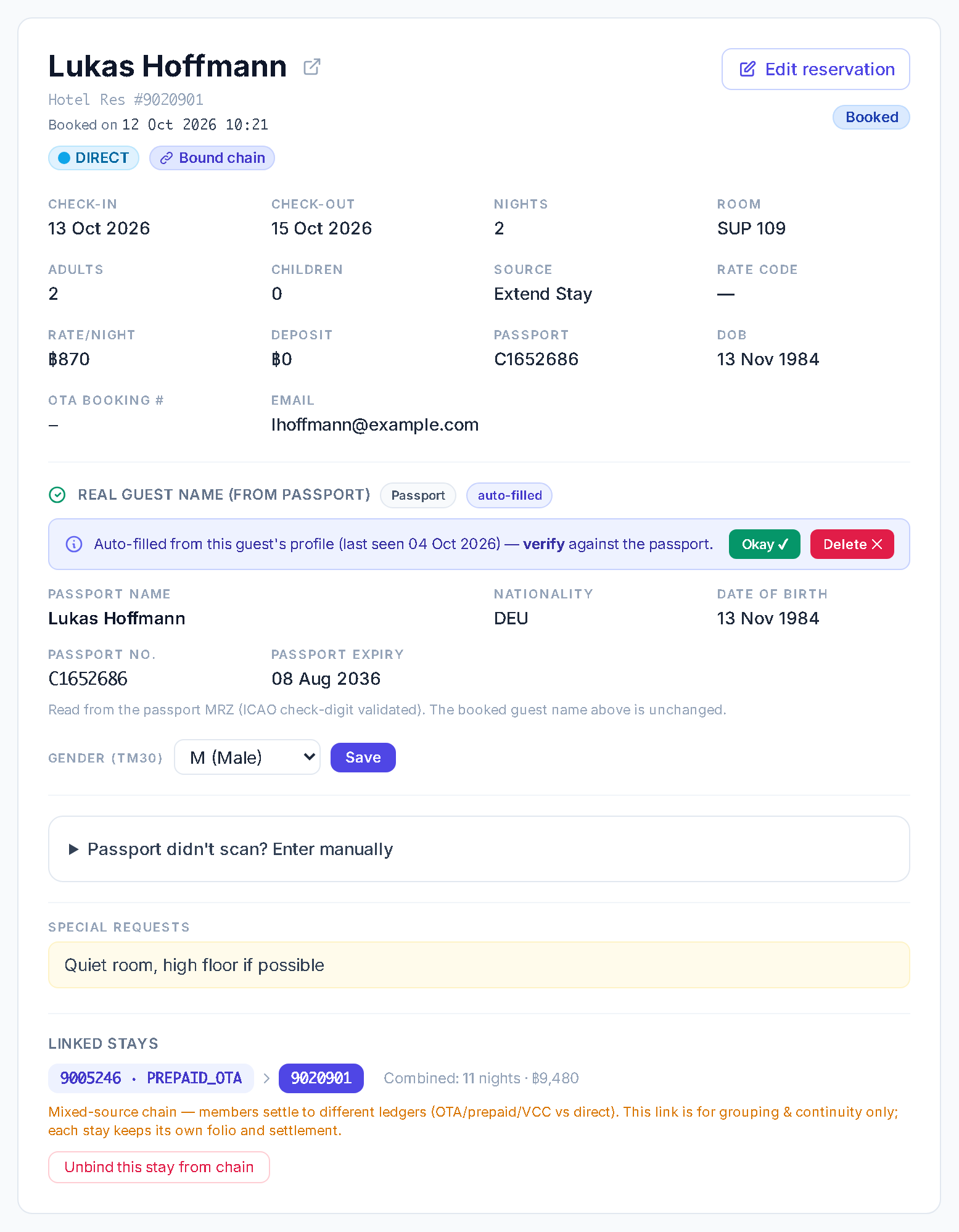
The second time, it is already there.
When the same guest books, extends, duplicates a booking or checks in, the system finds the saved passport and fills the stay. Staff verify it and press Okay.
- Each passport on the profile carries an expiry pill: red if expired, amber within 90 days, green otherwise.
- The profile can also hold a VIP or do-not-rebook mark, with a reason. It shows on the profile, in the guest list and in the filters.
- It matches by guest name, so a different spelling is a different guest.
More from the same system
- Which nationality has the most no-shows? Type it.See what it will ask before it runs, then save the answer.
- See your price on every night.Change it where you see it, on the booking calendar.
- Who was meant to leave today, and did they pay?The departures list and the sheet you tick against the receipts.
Running at Royal Ivory Nana Hotel, Bangkok. 91 rooms. Every day since July 2026.
0days running a real hotel
One hotel runs this today: ours. The count is the calendar, not a promise.
Then try the same nine on ours, in a 20-minute demo.
- Property
- Royal Ivory Nana Hotel, Bangkok
- Rooms
- 91
- On this system
- Every day since 23 July 2026
- What runs on it
- Reservations, front desk, cashier, night audit and reporting
- Screens in
- Thai, Myanmar and English
- Kept up
- The owner shapes it the way his hotel needs, and it is updated all the time
The Friday Test. Nine changes you should be able to make yourself.
Run it tonight on the system you have. Print it and hand it to your manager.
Get the free PDF
Five pages, A4, with a tick sheet and a box for the time each check took. Choose how we can reach you: email, LINE, WhatsApp or Facebook Messenger. The PDF opens at once.
Get the Friday Test (free PDF)The PDF appears at once. Privacy.
One month free. No fees. No card.
- Free move-in and free video training.
- A person with your front desk on switch morning.
- A practice copy runs beside your current system.
- Month to month. Cancel any month.
- If you leave, we help you take everything out. Your data is stored locally on your own computer.
- Then $100 a month for up to 200 rooms (+$0.50 a room from 201 to 300, +$0.30 a room above 300).
Four questions, answered straight
- What if the scan cannot be read?
- The screen says so and offers scan again, or your staff type it in. A Thai ID card has no machine lines, so it is always typed, and the 13-digit number is checked.
- Is it AI?
- No. A fixed reader checks the check digits on the two lines at the bottom of the passport. It does not guess.
- What do I need at the desk?
- Any passport scanner can be connected, and we set it up with you. If a passport cannot be read, your staff type it in.
- What does it not do?
- It does not file your TM30. The same details feed the TM30 list, which you download as a spreadsheet, and your staff file it. It does not find a returning guest by passport number: it matches by name.