 Orca Systems
Running at our own hotel. Not on sale yet.
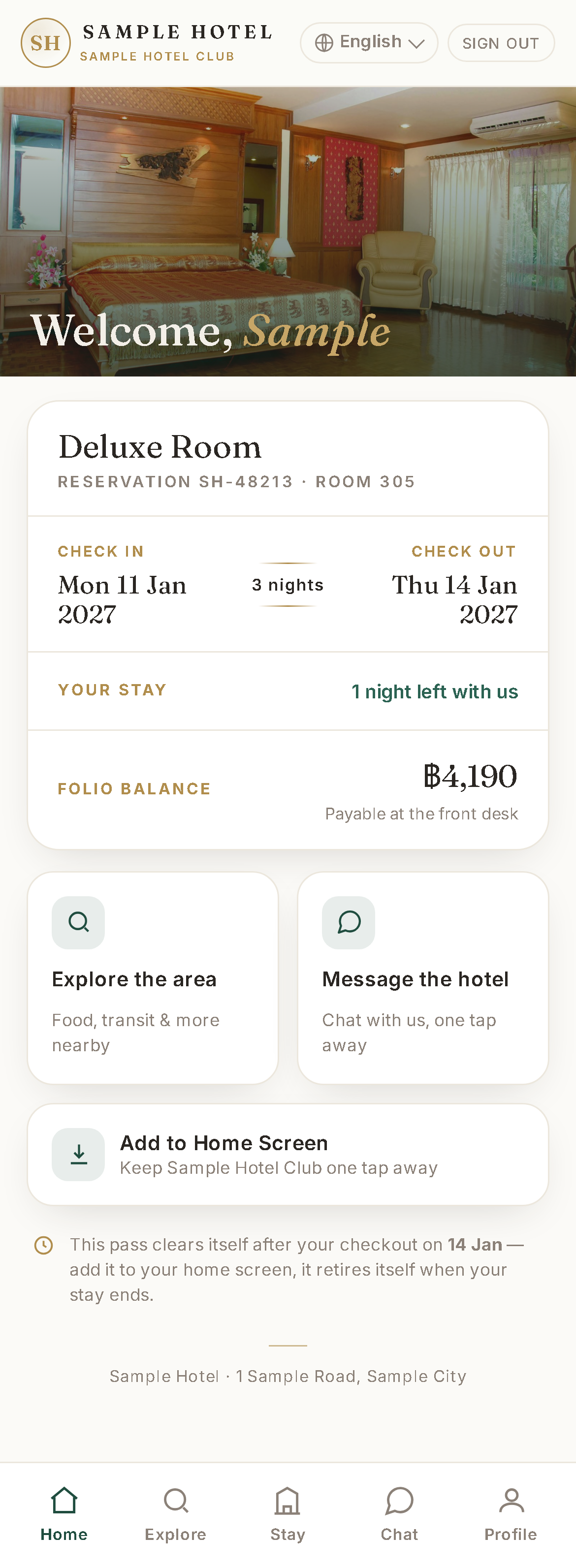
Guests open it in the browser. No app to install.
Guests sign in with their booking, ask for extras and chat with the front desk.
What it is
It runs as its own service next to the PMS and reads the same database.
-
Opens in the browser
Guests sign in with the booking reference and the surname on the booking. Access lasts until the end of the day after checkout. Cancelled bookings cannot sign in. Guests can add it to the phone's home screen.
-
Seven screen languages, six machine-translated
English, Thai, Hindi, Korean, Japanese, Arabic and Simplified Chinese. The six languages other than English are machine-translated, have not been reviewed by native speakers and are still being refined.
Extras and services
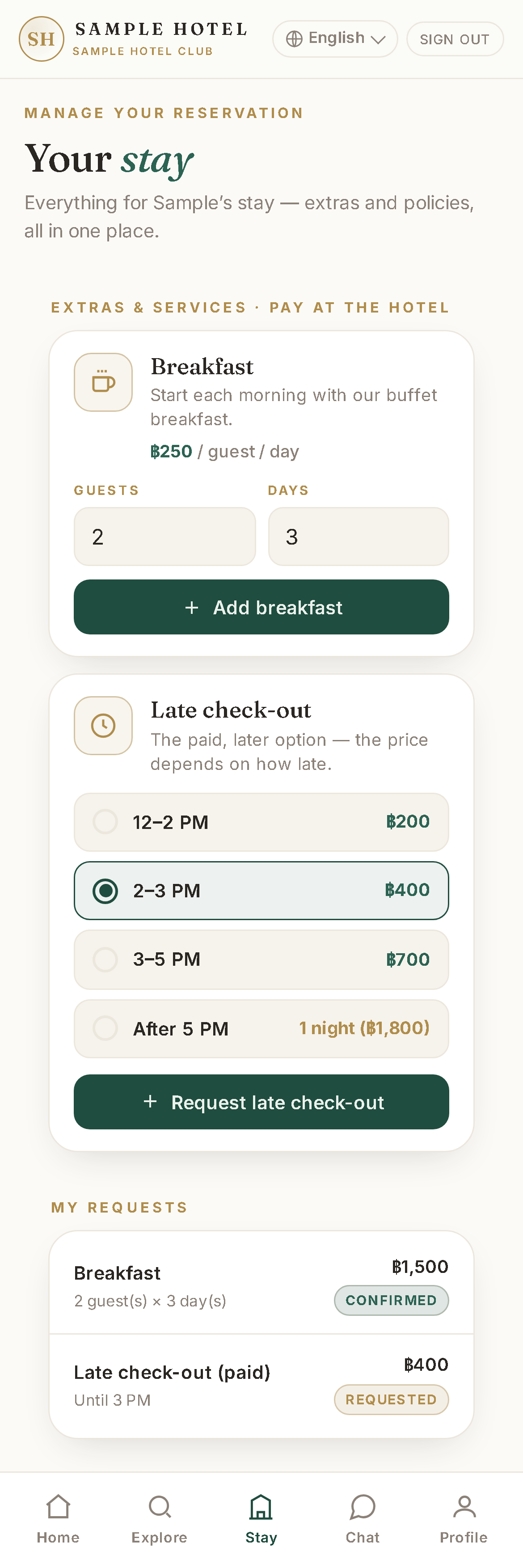
Guests ask for breakfast, early check-in, late check-out and parking. Prices, time tiers and on/off switches are set in the PMS.
Each request posts the charge to the folio and notifies staff. Guests pay at the hotel.
The hotel can also list extras of its own. A request for one of those posts no charge. Staff add it by hand.
Chat with the desk
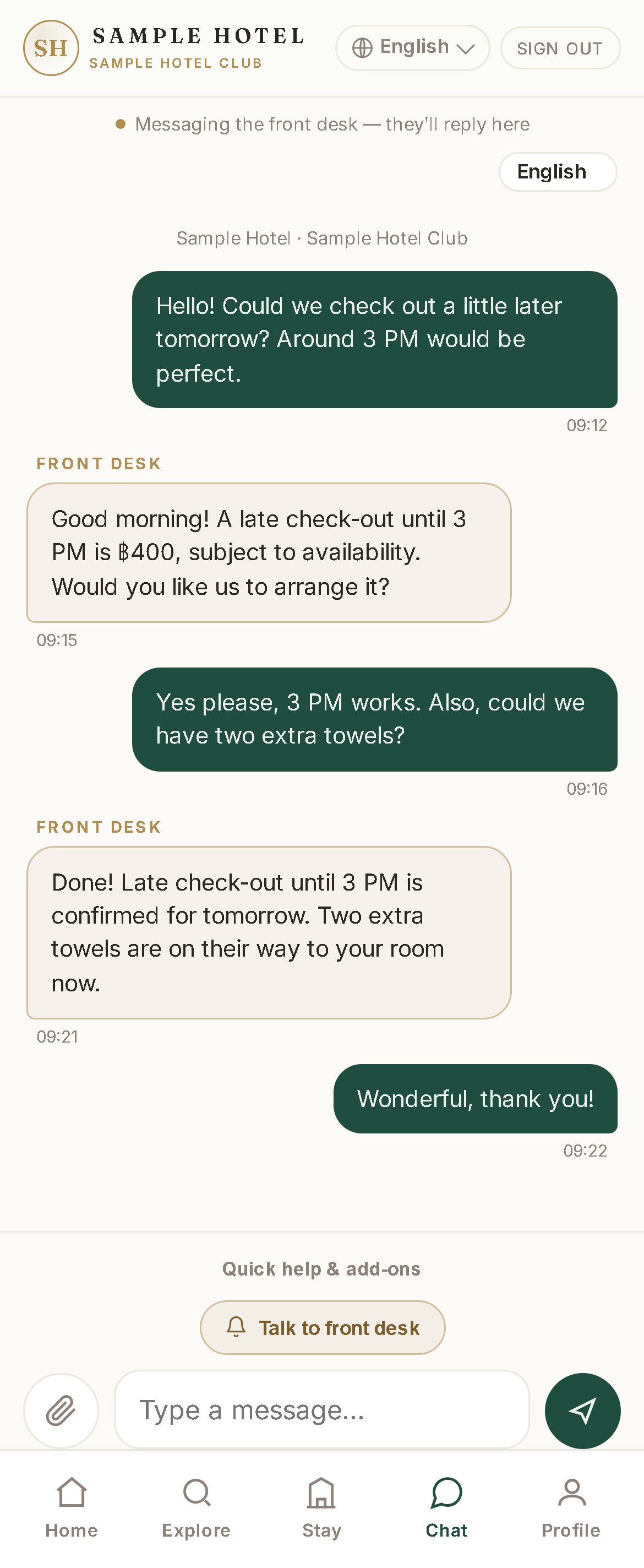
Guests message the front desk from the app. Staff reply from the PMS inbox, and the guest sees the reply in the same thread. Guests can tap a common question or type their own.
Each message shows a second line translated into the viewer's language, in 10 languages. The translation runs on the hotel's own computer. The original text always shows.
What your staff see
Reception, senior reception, managers and admins use these pages inside the PMS.
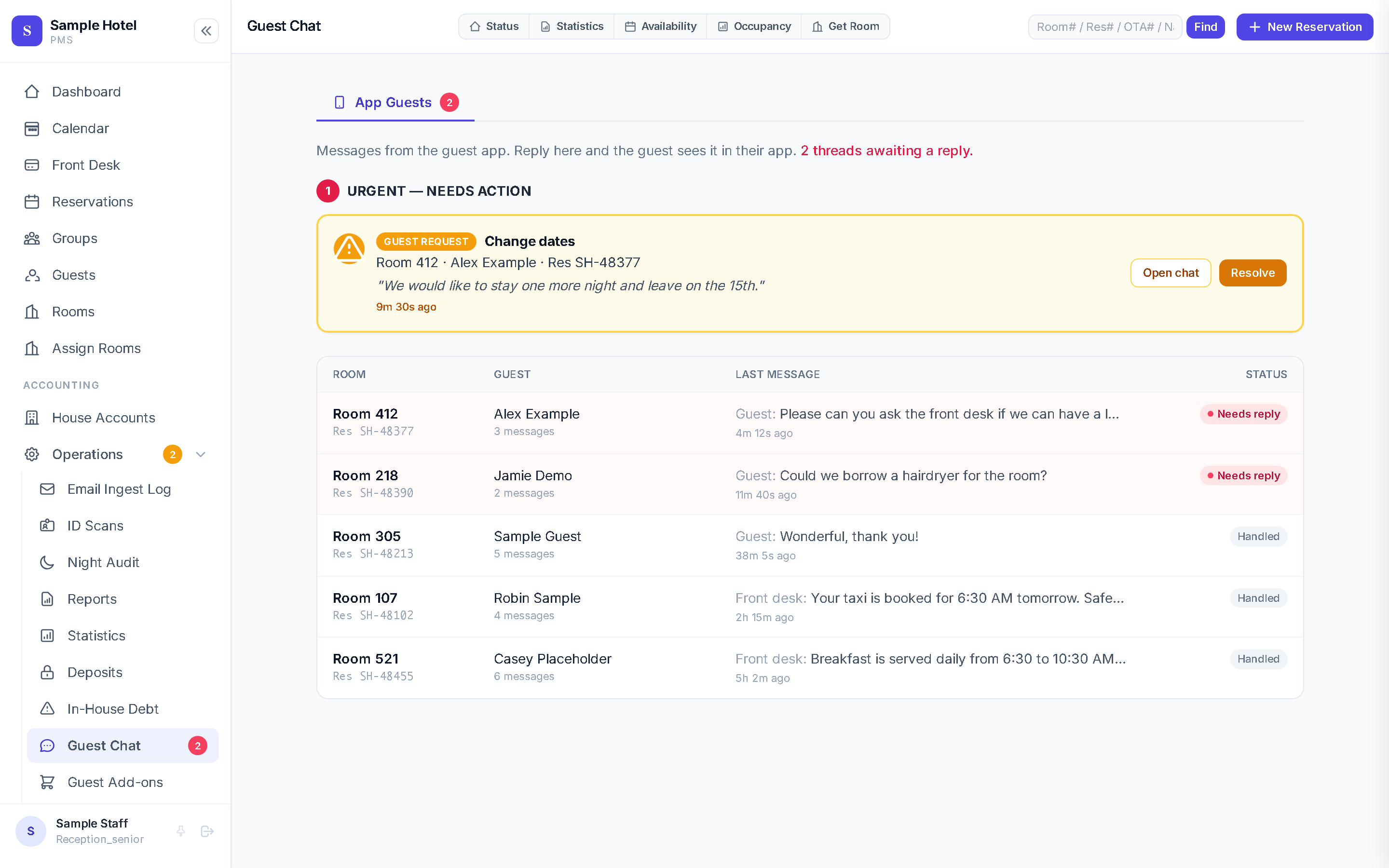
- A chat inbox. Threads sort by "needs reply", with a count in the menu. Change requests show on their own cards. Staff read each message in the language they pick.
- Suggested replies are drafts. Up to three suggestions can fill the reply box with a tap. Nothing is sent until a person sends it.
- A page for requested add-ons. Staff confirm or cancel each request. Confirming posts the folio charge if it is missing. Cancelling voids it.
- Bell notifications. Chat escalations, add-on requests, change requests and checkout requests.
Slide the screen sideways to read all of it.
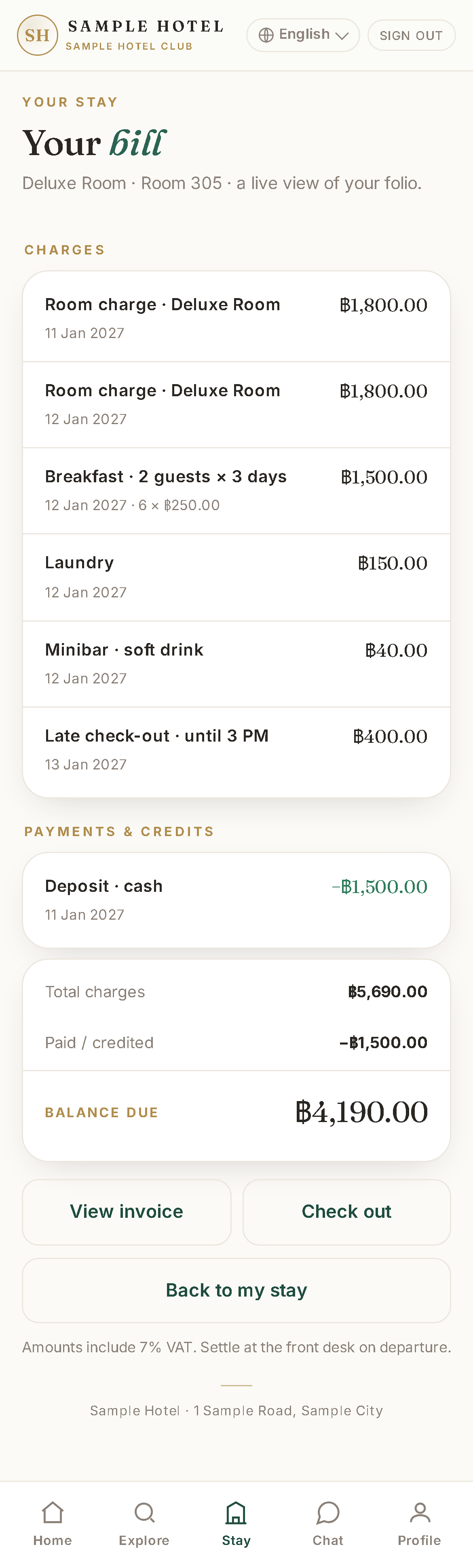
The bill, documents and nearby places
A live itemised bill, with the PMS invoice page one tap away. A guest can ask to check out, and staff still check them out.
Guests can open a booking confirmation PDF and a visa-support letter. A map lists nearby places with distances and directions from the hotel.
What you need
The PMS and a server
The app shares the PMS database and calls the PMS on the same computer. It cannot sign anyone in without the PMS.
That computer runs Windows and the PMS database. The app is a second service on it.
A web address
A web address that reaches the app over HTTPS. We use a Cloudflare tunnel.
Language packs
Offline translation packs installed on the server. No outside service does the chat translation.
Admin sign-in
The PMS sign-in service, or a local password on the hotel network.
Someone to set it up
No hardware beyond the server. Guests use their own phones.
No one outside our team has set it up. There is no install guide or requirements list yet.
What it does not do
Sign-in
Sign-in is the booking reference and a surname. There is no password and no email code.
A limit stops repeated wrong tries from one address.
Chat
Replies are not instant. The guest's page checks every 15 seconds, and there is no push to the phone.
Translations are machine output and can be wrong. The original text always shows.
Requests
There is no form for towels or an air-conditioning fault. Those go through chat.
Charges for the hotel's own extras are added by staff.
Payment
There is no online payment. Everything is paid at the hotel.
Look and language
It is a web app, not an app-store app.
The name, colours and map places are our hotel's, and it has two room types. A hotel can change some text and choose among existing banner photos. The rest is development work.
Six of the seven screen languages are unreviewed machine translation.
Where it stands
- Running
- It has run on our live PMS database since 8 September 2026. It has not been installed at any other hotel, and it is not on sale yet.
- Kept running
- A watchdog restarts it when it stops. We give no uptime figure.
- Use
- We have no guest usage figures to show.
- Written for our hotel
- Our hotel's name, look and map places are fixed in the code.
- Another hotel
- It would need a separate setup and development work. Ask us.
Questions
Do guests download an app?
No. It opens in the phone's browser and can be added to the home screen.
How do guests sign in?
With the booking reference and the surname on the booking. There is no password. It works until one day after checkout.
Who answers guests' messages?
The front desk. Guests message the front desk from the app, and staff reply from the PMS inbox. Suggested replies are only drafts, and nothing is sent to the guest until a person sends it.
Which languages does it speak?
Seven screen languages. The non-English ones are machine-translated and still being refined. Chat has ten languages, with a translated line under each message, done on the hotel's own computer.
Can guests pay in the app?
No. There is no online payment. Everything is paid at the hotel.
Can my hotel use it?
Not yet. It runs at our own hotel only, next to our PMS, and carries our branding. Another hotel needs a separate setup and development work. Ask us.
Tell us about your hotel
Running at our own hotel. A second hotel needs a separate setup, so tell us what you need.